
What's really slowing down small HVAC shops right now
Most small HVAC shops don't need more software. They need the quote follow-ups they already pay for switched on. Here's the 10-minute fix, our pick if you have nothing yet, and what to ignore.
LinkedControls field report · October 22, 2026 · Free
Quotes go out, and nobody chases them. A San Antonio home-services company posted a commission-only job just to follow up on quotes, because its "field team is tied up running jobs."
Here's the short version. Most small shops don't need more software. Turn on the quote follow-ups you already pay for, and clear your old quote pile once.
We read HVAC forums, posts on X, and 13 job listings from small shops hiring office help, and we checked prices on each company's own pricing page.
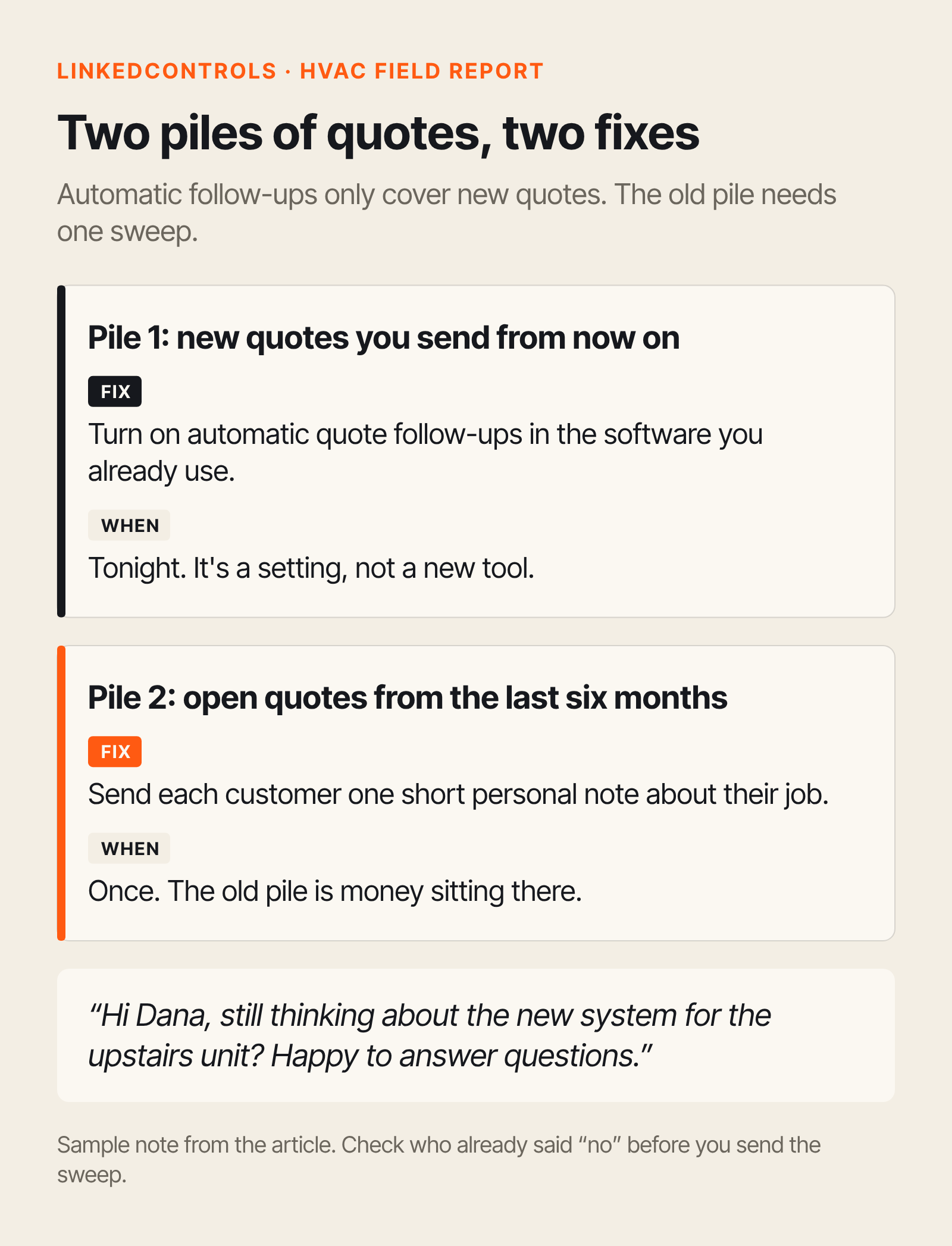
Do this tonight (10 minutes): turn on automatic quote follow-ups in the software you already use. Here's how in Jobber and ServiceM8. Then pull every open quote from the last six months and send each customer one short personal note, like this:
"Hi Dana, still thinking about the new system for the upstairs unit? Happy to answer questions."
Automatic follow-ups only cover new quotes. The old pile is money sitting there.
1. Quotes go out, and nobody chases them
That San Antonio listing paid "$50–$200+ per closed ticket" to "follow up and close pending quotes." Small shops write the same duty into office jobs.
A Colorado shop lists "Following up on outstanding estimates, invoices, and payments." A family shop in Connecticut and New York wants someone to "follow up on open estimates per the SOP."
Our pick if you have nothing yet: Jobber Connect. Why it wins: it can "automate quote and invoice follow-ups" and it syncs with QuickBooks Online. We have no affiliate deal with Jobber or ServiceM8.
For up to 5 users it's $149/mo billed yearly, or $199/mo with no commitment. New customers who sign up before Oct. 30, 2026, pay $105/mo for the first year, billed yearly (getjobber.com, checked Oct 22, 2026).
Backup: ServiceM8 Growing at $79/mo. It has unlimited users and 150 jobs a month (servicem8.com, checked Oct 22, 2026), and ServiceM8 offers automatic quote follow-up texts and emails. Pick it if you'd rather pay one flat price than pay per user.
What you still do: write the follow-up message in your own words, and check who said "no" before you send the old-quote sweep.
2. The software works. Someone still has to run it.
A San Diego owner said he's "in the field on every install and doing all the office work, estimating, invoicing, etc...from my laptop." A commercial tech said a big field-service app needs an "office person to constantly monitor, update and tweak it."
One Oklahoma shop advertised an office manager at $55k–$70k and wrote that "the biggest part of this job is owning ServiceTitan." Seven of the 13 listings we read require a specific program.
What this means for you: the part that costs you is setup. That means getting your customers in, building your price list, turning on reminders, and getting techs to use the app. Do that once, properly, before you hire someone to do it for you.
3. After-hours calls: answering is cheap. Sorting emergencies is the hard part.
Seven of the 13 listings put "answer calls" first, at $20–$27 an hour. Cheaper options, from each vendor's pricing page (checked Oct 22, 2026):
- ServiceM8 Phone: from $19/mo, and it can route calls to several staff
- Rosie: $49/mo for 250 minutes, or $149/mo for 1,000 minutes with calendar booking and live transfer
- Jobber Receptionist: a $29/mo add-on to a Jobber plan
- Smith.ai (real people): $300/mo for 30 calls
Whatever you try, call your own line after hours. See whether it handles "no heat, baby in the house" or "I smell gas" the right way. Don't go live until it does.
4. One to watch: equipment records
Techs still keep their own lists of "model, serial, belts, filters for all the equipment we service." ServiceM8 can store equipment history, but someone still has to type in the data plate. We haven't found a simple tool that turns a tech's photo of the data plate into a list of who to call before summer.
What to ignore
- Brand-new "AI receptionist" pitches: one X post says "Thousands are running the same play," so test a known option first.
- Jobber's $49/mo Sales Pipeline add-on: you don't need it to chase quotes, since follow-ups come with Connect.
- A $55k office hire to run your software: set up what you already pay for first.
Keep customer data safe
- Give everyone their own login, and remove it the day they leave.
- Only text customers who gave you their mobile number, and stop the day they reply "stop."
The takeaway
- Tonight: turn on quote follow-ups and send the old-quote sweep.
- No software yet? Start with Jobber Connect, or ServiceM8 Growing if you want one flat price.
- Before you buy an answering tool: test it with an emergency call on your own line.
Some links may be affiliate links. We pick tools before we check commissions.
Sources
Opened Oct 20, 2026, during our scan; prices rechecked Oct 22, 2026.
- San Antonio quote-closer listing (Craigslist, posted Sep 20, 2026; listing has since expired): craigslist.org
- Yeti Mechanical office administrator listing (Mountain Careers): mountaincareers.com
- CT/NY family HVAC shop listing (Greenhouse): greenhouse.io
- San Diego HVAC owner (X): x.com/LegacySanDiego
- Commercial tech on ServiceTitan (HVAC-Talk): hvac-talk.com
- Oklahoma office manager listing (Indeed): indeed.com
- Tech on equipment lists (HVAC-Talk): hvac-talk.com
- Copycat AI receptionist pitches (X): x.com/DTCCollins
- Pricing: Jobber · ServiceM8 · Rosie · Smith.ai